
Clip Lyra

Transcript Review & Short Selection

Review speaker-aware transcripts, edit text, export transcript files, and create shorts from selected blocks.

The review workflow turns transcription into a production interface: searchable transcript blocks, word chips, speaker summaries, save/export controls, and one-click clip creation from strong moments.

Word-level timing Speaker filters and word counts Filler and removed-word flags Parent-to-child clip structure Manual and automatic short creation
Ask about this feature All features

Feature details

What is included.

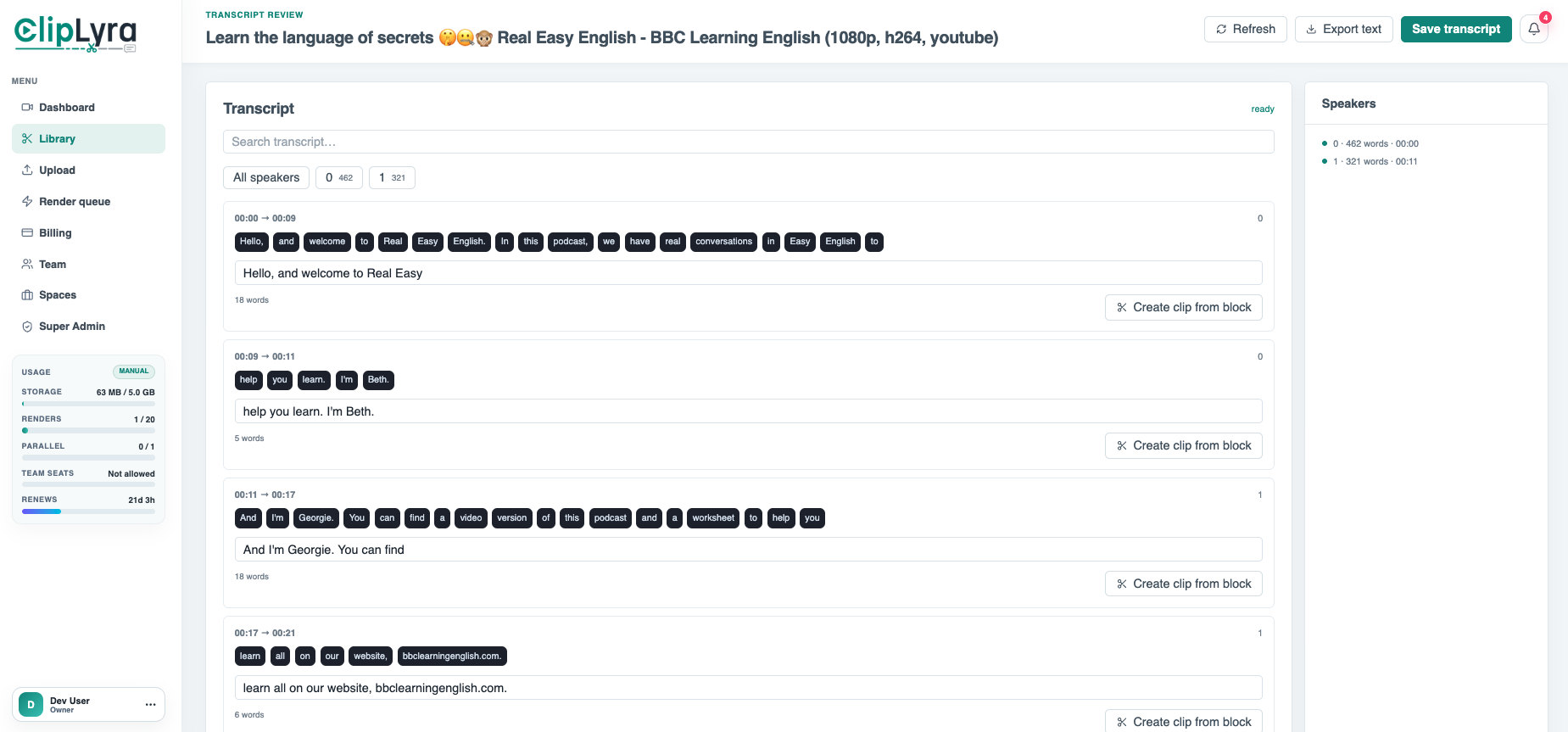
The source transcript screen groups words by timing and speaker, supports transcript search, speaker filters, text edits, refresh, export, and save actions.

Processing code uses Deepgram Nova transcription with diarization, punctuation, utterances, filler detection, candidate scoring, dedupe logic, and target-duration windows for automatic short suggestions.

  • Speaker-aware transcript blocks
  • Transcript search, edit, save, and export
  • Create clip from transcript block
  • Automatic candidate scoring by hook, payoff, duration, and overlap

Included capabilities

Word-level timing Speaker filters and word counts Filler and removed-word flags Parent-to-child clip structure Manual and automatic short creation
Product page Pricing table

Ask about Transcript Review & Short Selection

Tell us how this feature should work for your team, product package, or white-label customer.

Detailed feature breakdown

How Transcript Review & Short Selection works inside Clip Lyra.

This section explains the actual workflow, controls, and buyer value behind this feature.

Transcript workspace for finding usable moments

After processing, ClipLyra turns the source video into a searchable transcript review workspace. Users can review speaker-aware transcript blocks, inspect word-level timing, filter by speaker, edit transcript text, save changes, export text, and create shorts from selected transcript blocks.

This gives creators more control than a black-box short generator. They can accept automatic suggestions, create manual clips from strong moments, or refine transcript text before final editing.

  • Speaker-aware blocks make interviews, podcasts, webinars, and panels easier to review.
  • Word timing supports accurate clip windows and caption alignment.
  • Search, export, save, and refresh actions make the transcript usable as production material.
Automatic short candidate scoring

The processing pipeline evaluates transcript windows for short-form potential. It considers duration, hook quality, payoff, sentence density, duplicate overlap, housekeeping phrases, and target clip length so suggested clips are not simply random transcript slices.

  • Candidate windows are matched against the target short duration selected at intake.
  • Duplicate-heavy or weak sections can be reduced before users review clips.
  • The transcript remains connected to the original source and the generated short.

Manual short creation when automation is not enough

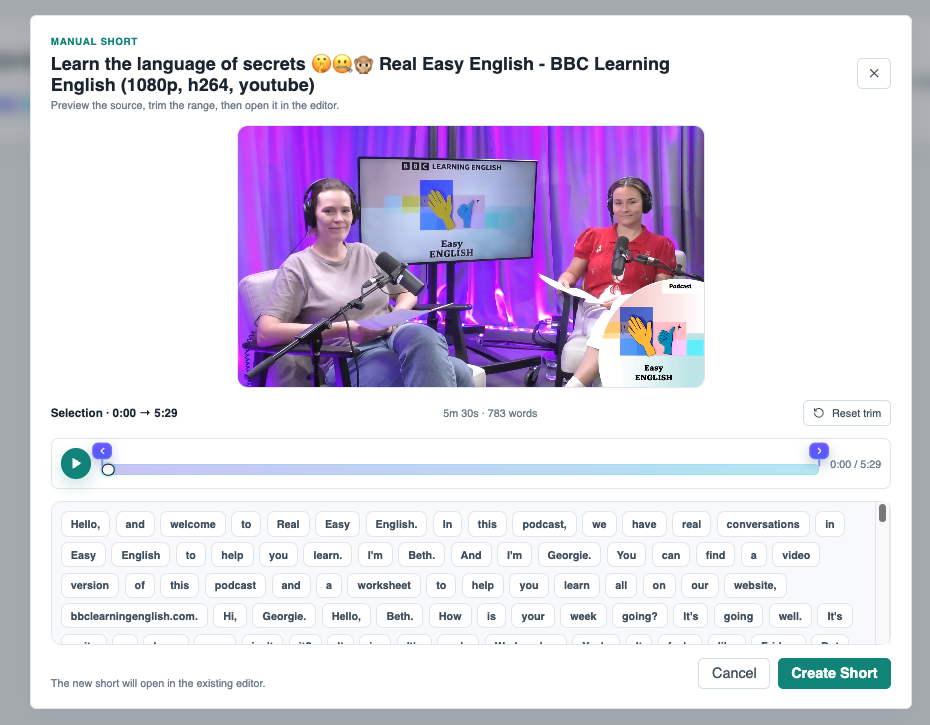
Users can create a short from a transcript block or selected range when they know the exact moment they want. The manual creation flow keeps the source preview, trim range, transcript tokens, and generated child clip connected in one workflow.

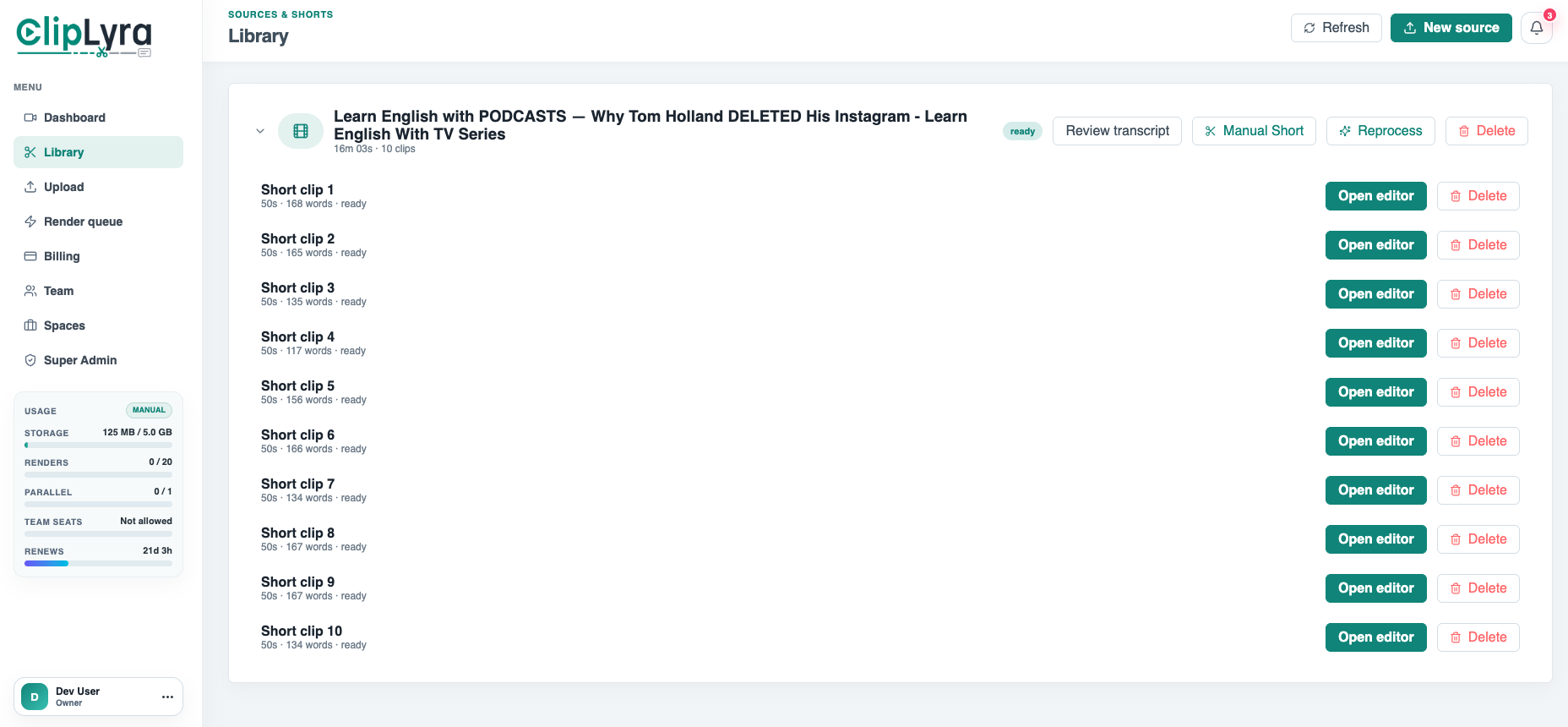
  • Manual clips preserve source-to-short relationships for later editing.
  • Selected transcript content becomes the basis for timing and caption work.
  • The feature supports agencies that need editorial control before rendering.

Screenshots

Transcript Review & Short Selection in the actual product.

Transcript review with word chips, speaker filters, export text, and create-clip actions.
Library view showing source-to-short relationships and editor actions for each generated clip.
Manual short modal with source preview, trim range, transcript tokens, and create-short flow.

More Clip Lyra features

Related feature pages.

Source Ingestion & Plan Limits

ClipLyra accepts local video uploads, YouTube links, and remote URLs while checking storage, duration, source resolution, target short length, language, and maximum clips for the current package.

Open feature

Short Editor, Layer Assets & Frame Preview

ClipLyra includes an editor layer for vertical outputs, caption style data, crop keyframes, media layers, image/video/audio uploads, and preview frames with optional watermarking.

Open feature

Render Queue & Output Operations

Rendering is separated from editing through worker queues, render job status, progress, attempts, usage ledger entries, output assets, notifications, and operational queue views.

Open feature

Billing, Usage & Team Workspaces

The product includes subscription and usage controls for storage, monthly renders, concurrent renders, max upload duration, max short length, preview/export resolutions, layer limits, team members, and yearly renewal state.

Open feature

Super Admin Platform Control

ClipLyra includes a global admin layer for users, workspaces, subscriptions, revenue, storage, renders, package management, coupons, transactions, all library items, all shorts, logs, resolutions, alerts, emails, and application settings.

Open feature