
Clip Lyra

Super Admin Platform Control

Operate the whole ClipLyra platform from super-admin dashboards, analytics, packages, branding, and settings.

ClipLyra includes a global admin layer for users, workspaces, subscriptions, revenue, storage, renders, package management, coupons, transactions, all library items, all shorts, logs, resolutions, alerts, emails, and application settings.

Tenant usage analytics Package storage breakdown Operational health views Bulk entitlement sync Logo and favicon controls
Ask about this feature All features

Feature details

What is included.

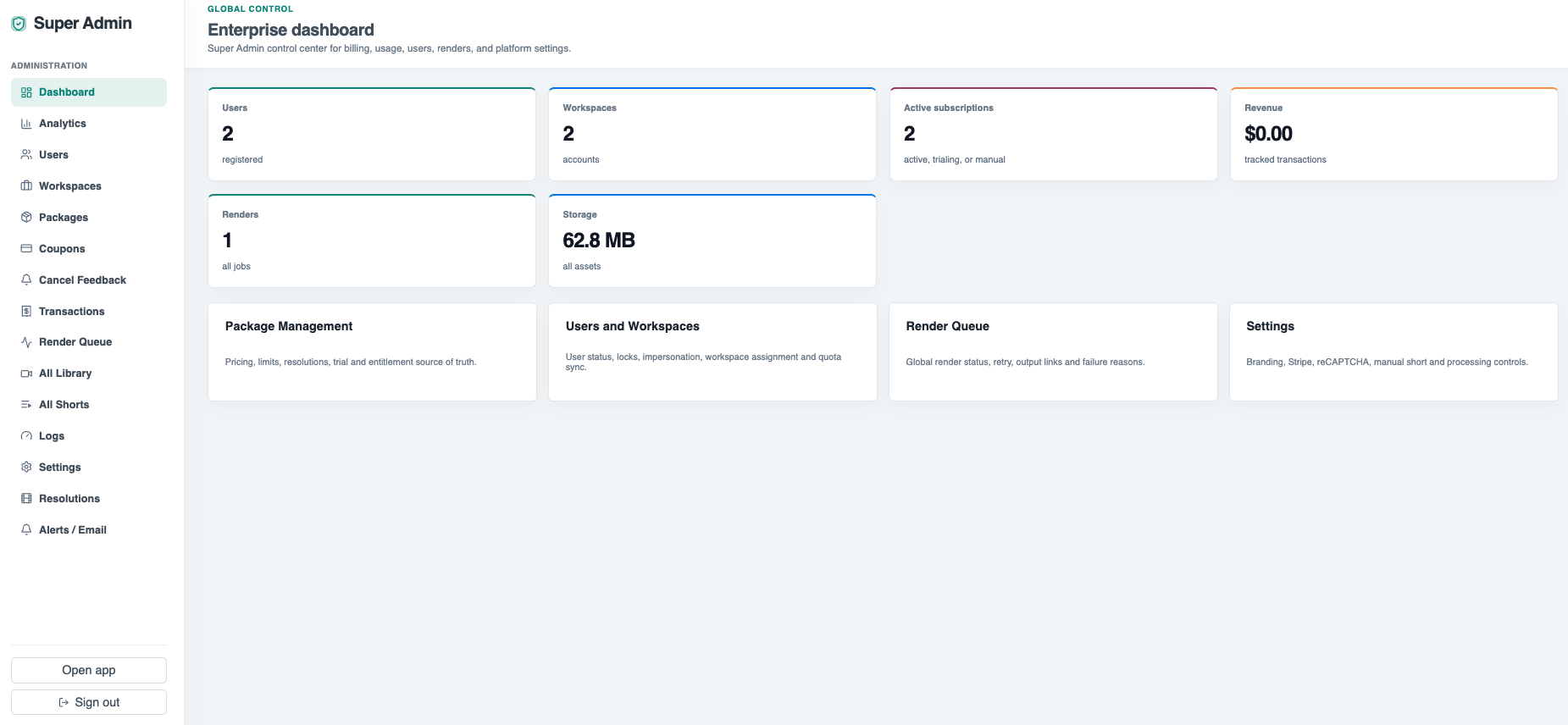
Super-admin dashboards show users, workspaces, active subscriptions, revenue, render count, storage, package management, users/workspaces, render queue, and settings.

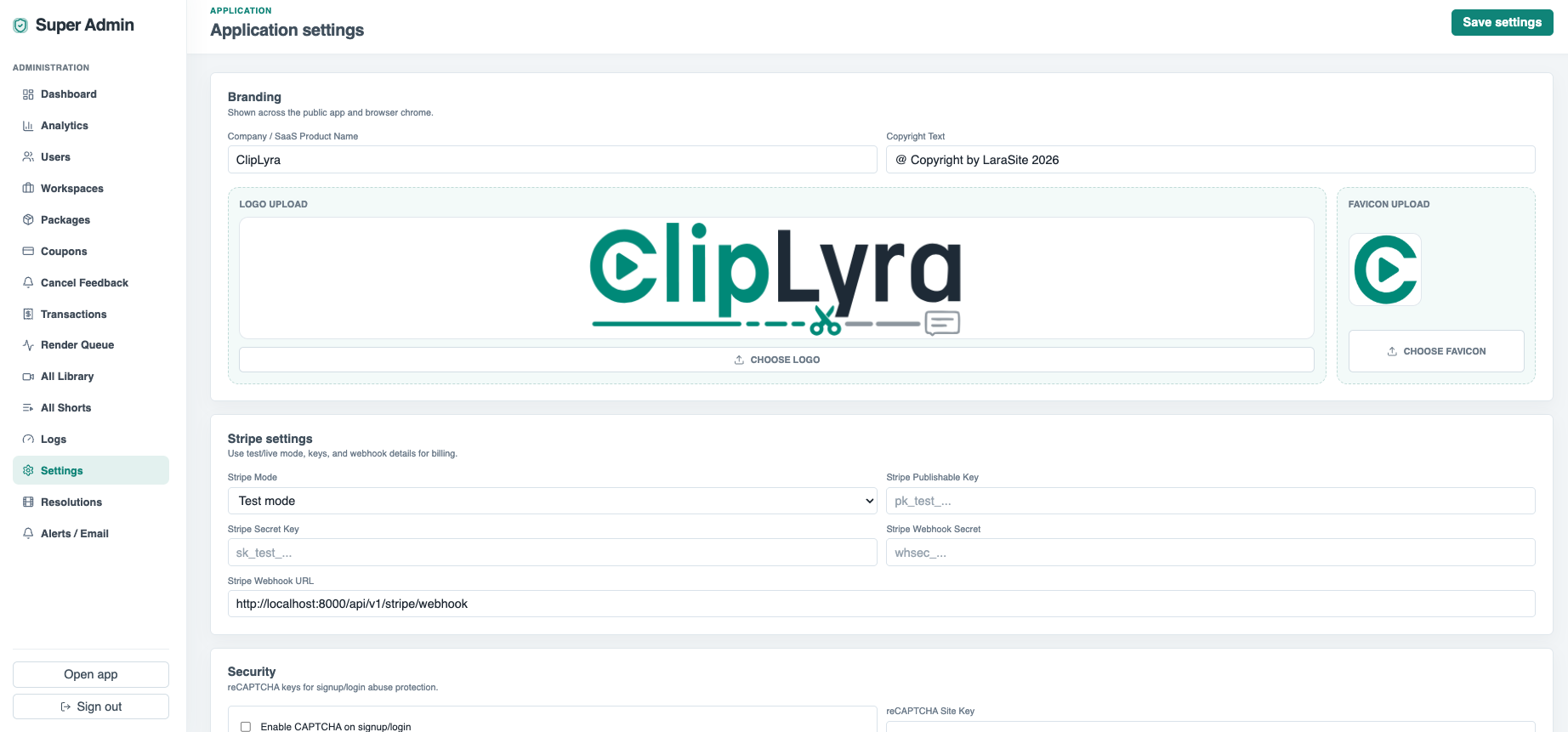
Settings cover branding, logo/favicon upload, Stripe keys and webhooks, reCAPTCHA, manual-short controls, max shorts one time, transcript export, alerts, and operational defaults.

  • Global dashboard and analytics
  • Workspace and user administration
  • Package, coupon, transaction, resolution, and render queue management
  • Branding, Stripe, reCAPTCHA, alerts, and app settings

Included capabilities

Tenant usage analytics Package storage breakdown Operational health views Bulk entitlement sync Logo and favicon controls
Product page Pricing table

Ask about Super Admin Platform Control

Tell us how this feature should work for your team, product package, or white-label customer.

Detailed feature breakdown

How Super Admin Platform Control works inside Clip Lyra.

This section explains the actual workflow, controls, and buyer value behind this feature.

Global operating dashboard

The super-admin layer is built for running ClipLyra as a SaaS business. It brings users, workspaces, subscriptions, revenue, renders, storage, package data, queues, and platform settings into one operator view.

  • Admins can review users, workspaces, subscriptions, revenue, render count, and storage.
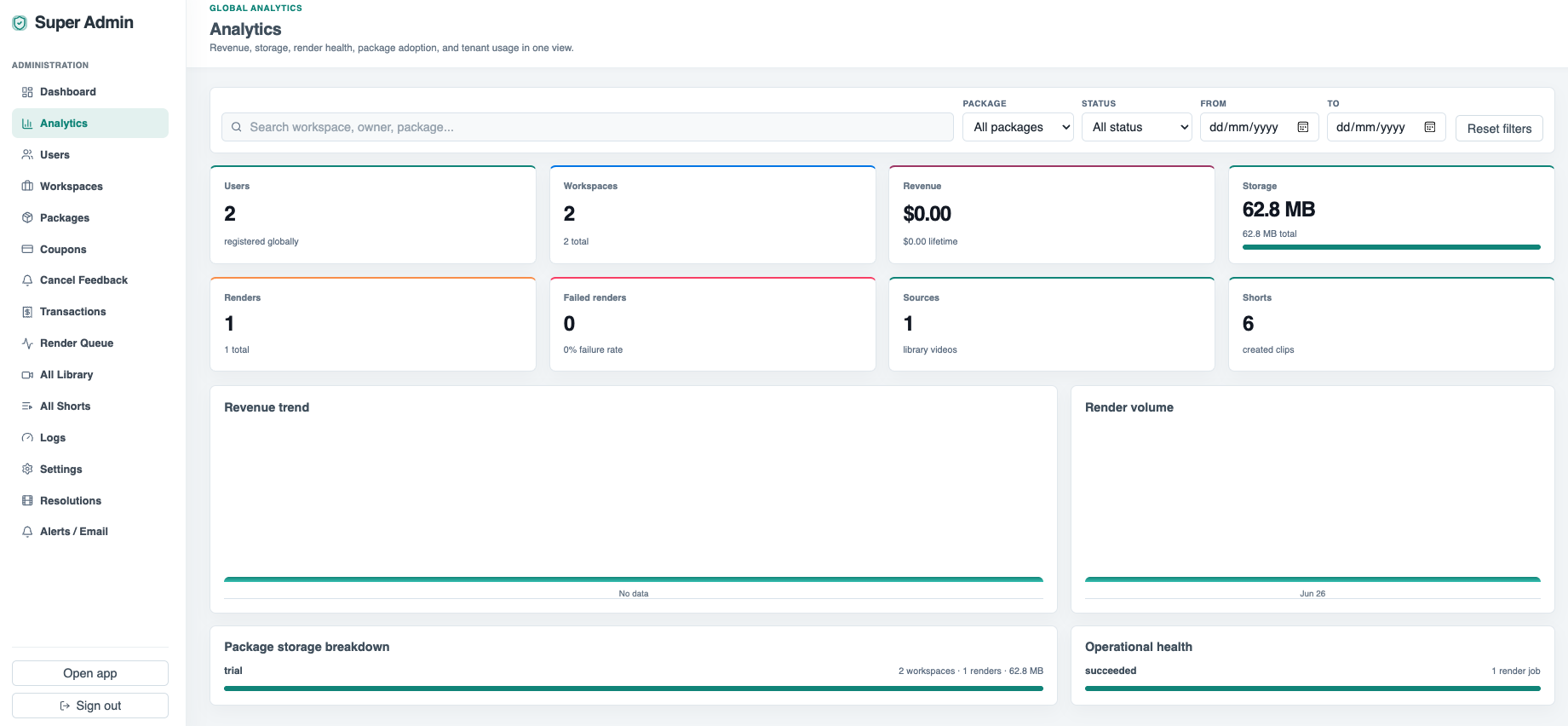
  • Analytics can be filtered to understand render volume and storage pressure.
  • Operational health views help identify platform issues before customers report them.
Package, transaction, and usage administration

Admin controls support package management, coupons, transactions, tenant analytics, entitlement sync, render queue inspection, all-source libraries, all shorts, and resolution controls. This gives the owner practical tools to run packages without changing customer-facing pages manually.

  • Package limits can be managed from the platform layer.
  • Transactions and subscription snapshots support billing support work.
  • Entitlement sync helps keep user limits aligned with the selected package.

Branding and platform settings

The settings area covers branding, logo and favicon upload, Stripe keys, webhook configuration, security controls, manual-short settings, maximum shorts per run, transcript export, email alerts, and product defaults.

  • Logo and favicon controls support white-label presentation.
  • Stripe, webhook, and security settings can be managed centrally.
  • Manual-short and transcript settings let operators adjust production behavior.

Screenshots

Super Admin Platform Control in the actual product.

Super-admin dashboard with users, workspaces, subscriptions, revenue, renders, storage, and admin modules.
Global analytics with filters, render volume, revenue trend, storage breakdown, and operational health.
Application settings for branding, Stripe, webhooks, security, and product controls.

More Clip Lyra features

Related feature pages.

Source Ingestion & Plan Limits

ClipLyra accepts local video uploads, YouTube links, and remote URLs while checking storage, duration, source resolution, target short length, language, and maximum clips for the current package.

Open feature

Transcript Review & Short Selection

The review workflow turns transcription into a production interface: searchable transcript blocks, word chips, speaker summaries, save/export controls, and one-click clip creation from strong moments.

Open feature

Short Editor, Layer Assets & Frame Preview

ClipLyra includes an editor layer for vertical outputs, caption style data, crop keyframes, media layers, image/video/audio uploads, and preview frames with optional watermarking.

Open feature

Render Queue & Output Operations

Rendering is separated from editing through worker queues, render job status, progress, attempts, usage ledger entries, output assets, notifications, and operational queue views.

Open feature

Billing, Usage & Team Workspaces

The product includes subscription and usage controls for storage, monthly renders, concurrent renders, max upload duration, max short length, preview/export resolutions, layer limits, team members, and yearly renewal state.

Open feature