Clip Lyra

Short Editor, Layer Assets & Frame Preview

Build short-form outputs with crop modes, captions, uploaded layers, and rendered-frame previews.

ClipLyra includes an editor layer for vertical outputs, caption style data, crop keyframes, media layers, image/video/audio uploads, and preview frames with optional watermarking.

Caption reveal and highlight settings Crop keyframes with manual/interpolated sources Layer asset upload/finalize/delete routes Preview watermark support Frame rendering with visual layers
Ask about this feature All features

Feature details

What is included.

The shared render schema supports face-tracked, manual, static, and smart-speaker crop modes, caption reveal/highlight styles, text alignment, output profiles, audio normalization, and layered assets.

Clip APIs handle layer image, video, and audio uploads, source-video streaming, frame previews, visible layer filtering, and package checks for maximum visible layer count.

  • Face-track, manual, static, and smart-speaker crop modes
  • Reusable image, video, and audio layer assets
  • Rendered-frame preview for output inspection
  • Layer-count enforcement by subscription package

Included capabilities

Caption reveal and highlight settings Crop keyframes with manual/interpolated sources Layer asset upload/finalize/delete routes Preview watermark support Frame rendering with visual layers
Product page Pricing table

Ask about Short Editor, Layer Assets & Frame Preview

Tell us how this feature should work for your team, product package, or white-label customer.

Detailed feature breakdown

How Short Editor, Layer Assets & Frame Preview works inside Clip Lyra.

This section explains the actual workflow, controls, and buyer value behind this feature.

Vertical short editor with real output styling

ClipLyra stores each short with output settings for crop mode, captions, audio, layer assets, and social aspect profiles. The editor can handle face-tracked crop, manual crop, static crop, and smart-speaker crop modes so different video types can be adapted into vertical output.

  • Crop keyframes can come from face detection, manual editing, or interpolation.
  • Caption settings include reveal style, highlight style, alignment, direction, and case controls.
  • Output profiles support vertical, square, social, and landscape formats.

Layer assets for branded video production

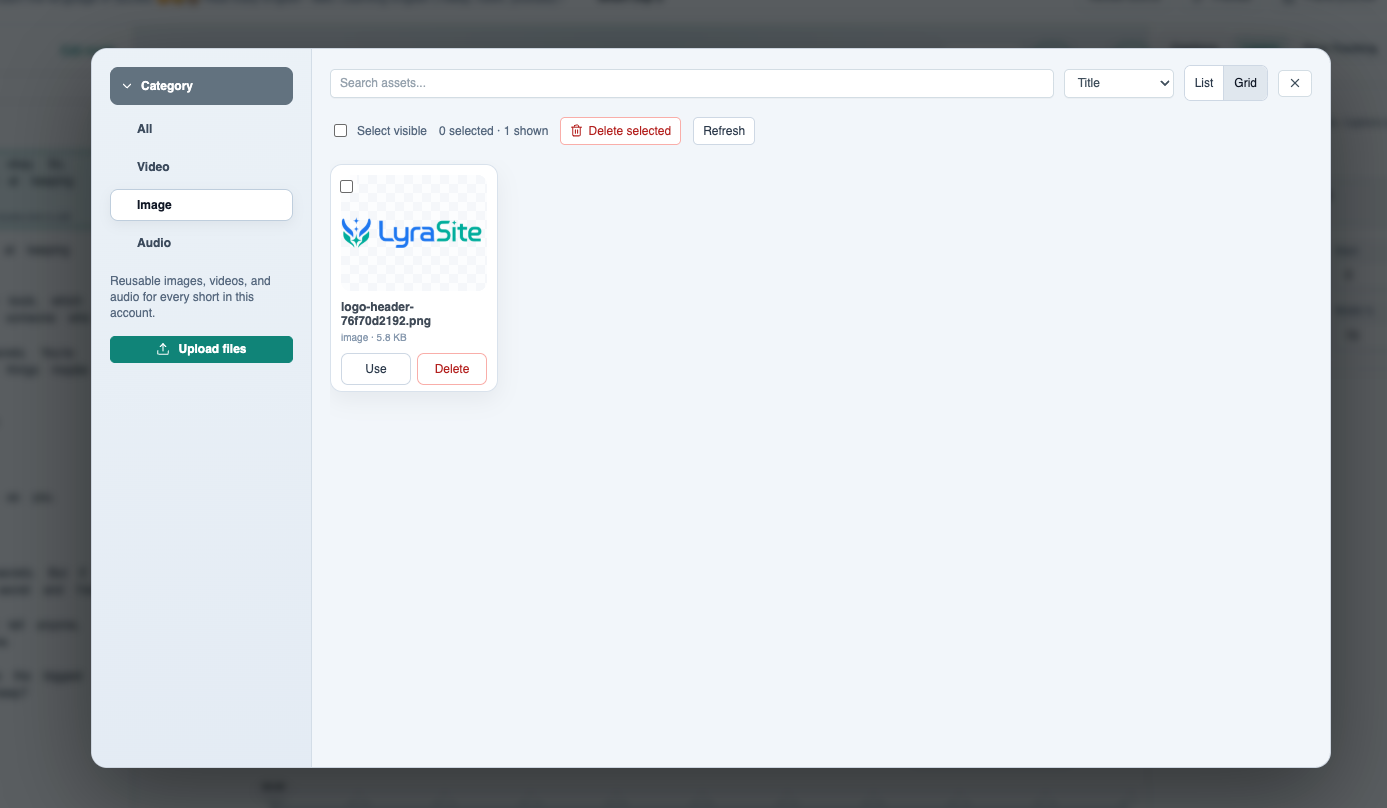
The product includes reusable image, video, and audio layer assets. Users can upload assets, organize them by type, place visible layers into the output frame, and keep brand items like logos or overlays ready for repeated short production.

  • Layer asset upload, finalize, stream, and delete actions are handled by the clip workspace.
  • Visible layers can be filtered and prepared for preview and render work.
  • Package limits can cap the number of visible layers for lower-tier plans.

Rendered frame preview before final export

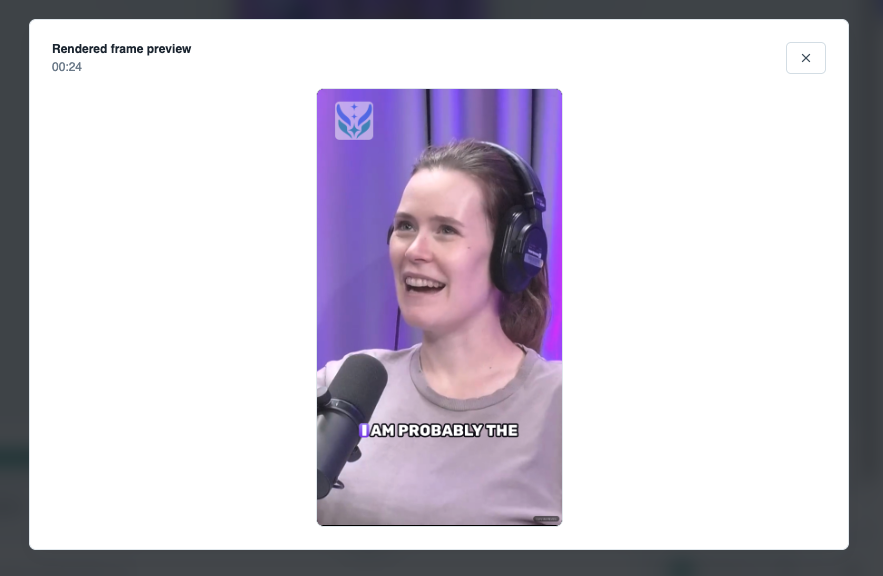
Before a user spends render credits, the editor can generate a frame preview that shows crop position, visible layers, logo placement, watermark behavior, and burned-in caption styling. This is useful for catching framing mistakes before the queue starts.

  • Preview output uses the same visual model as final rendering.
  • Watermark previews help subscription operators differentiate plan tiers.
  • Frame preview gives creators fast quality control without rendering the full clip.

Screenshots

Short Editor, Layer Assets & Frame Preview in the actual product.

Layer media library with categories for reusable images, videos, and audio assets.
Rendered frame preview showing vertical crop, logo overlay, and burned-in captions.

More Clip Lyra features

Related feature pages.

Source Ingestion & Plan Limits

ClipLyra accepts local video uploads, YouTube links, and remote URLs while checking storage, duration, source resolution, target short length, language, and maximum clips for the current package.

Open feature

Transcript Review & Short Selection

The review workflow turns transcription into a production interface: searchable transcript blocks, word chips, speaker summaries, save/export controls, and one-click clip creation from strong moments.

Open feature

Render Queue & Output Operations

Rendering is separated from editing through worker queues, render job status, progress, attempts, usage ledger entries, output assets, notifications, and operational queue views.

Open feature

Billing, Usage & Team Workspaces

The product includes subscription and usage controls for storage, monthly renders, concurrent renders, max upload duration, max short length, preview/export resolutions, layer limits, team members, and yearly renewal state.

Open feature

Super Admin Platform Control

ClipLyra includes a global admin layer for users, workspaces, subscriptions, revenue, storage, renders, package management, coupons, transactions, all library items, all shorts, logs, resolutions, alerts, emails, and application settings.

Open feature